Skip to content
StwGaroCreator hub
Roblox Studio Tools

Tools that do
the part you hate.

23 tools for Roblox Studio, built and tested one at a time: building, terrain, physics, animation, rigging, UI and whole game systems. Every claim on this page comes from the product's own Creator Store listing.

The catalogue

Each one solves a specific problem.

Real price, real listing, and the limits stated up front. If a tool cannot do something, its page says so.

Nothing in this category yet.

Plugin · BuildingRibbon iconCurves without
the busywork.
RibbonRoblox Creator Store

Ribbon

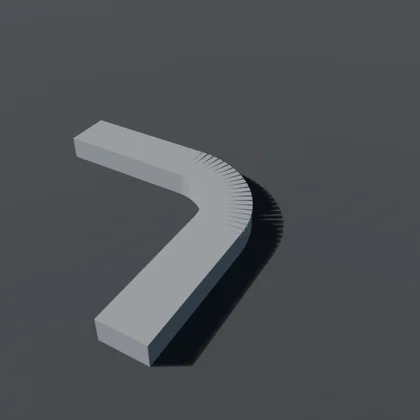
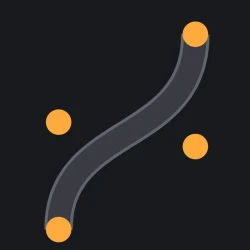
Roblox has no curve primitive. Ribbon adds one: drop four control points and get a continuous road.

What you get: Move a single point and the whole run is re-laid from the curve — same width, same spacing, joints still closed. The editable curve stays in your place.
Plugin · NPC AIProwl iconNPCs that keep
moving.
ProwlRoblox Creator Store

Prowl

One server script drives every NPC. Tag a rigged model, pick Chase, Guard, Patrol, Wander or Idle — no per-NPC scripts.

What you get: A global path budget means pathfinding can never melt the server. Stuck recovery jumps, re-paths, sidesteps, then reports blocked instead of standing in a wall.

Plugin · UIDeviceLab iconOne interface.
Every screen.
DeviceLabRoblox Creator Store

DeviceLab

Renders your real ScreenGui on phone, tablet, desktop and console viewports side by side, live, in a Studio dock — no playtest.

What you get: It names what is broken: elements off screen, buttons under the topbar or in a notch margin, touch targets too small, text too small to read. Click a finding to outline it on every device.

Plugin · RiggingSinew iconModel in.
Rig out.
SinewRoblox Creator Store

Sinew

Turn a connected custom model into an Animation Editor-ready Motor6D rig without moving its pose.

What you get: Select one Model, press Rig: Sinew infers the skeleton from touching parts, solves exact C0/C1 rest transforms, adds AnimationController and Animator, then verifies the result and explains what is wrong when it is.

Plugin · BuildingCornice iconRooms that stop
being six boxes.
CorniceRoblox Creator Store

Cornice

Roblox interiors look like boxes: a room is six boxes. Cornice gives them articulated edges — skirting at the floor, a cornice at the ceiling, a chair rail, or piers on the corners.

What you get: The corners are the product. By hand a corner is either a square hole or double thickness; Cornice runs share a plane and nothing else, so the largest shared volume between two runs is zero.

Plugin · BuildingAperture iconA doorway,
without CSG.
ApertureRoblox Creator Store

Aperture

Cut rectangular door, window and hatch openings in ordinary Roblox walls without CSG. Pick a preset or type Width, Height, Sill and Offset, then click CUT OPENING.

What you get: Aperture replaces the wall with three or four anchored Parts around the hole, never a UnionOperation. The original wall stays hidden inside the result, so Restore wall brings it back exactly.

Plugin · TerrainRunnel iconA river that never
flows uphill.
RunnelRoblox Creator Store

Runnel

Place a few points across your map. Runnel cuts the channel, snaps the bed to the voxel grid, tapers the banks and fills it with water.

What you get: It solves the surface as a falling curve before it writes anything: every station sits at or below the one before it, and never above the ground it runs through.

Plugin · PhysicsDraught iconWater you built,
that floats things.
DraughtRoblox Creator Store

Draught

Roblox gives buoyancy to terrain water and nothing else. A pool, a canal, a moat or a flooded basement built out of Parts does nothing at all: crates fall through it and boats sit on the bottom.

What you get: Draught makes a Part behave like water. Things float at the depth their density says they should, not at a depth you tuned by hand.

Plugin · AnimationStride iconA walk cycle for
the thing you built.
StrideRoblox Creator Store

Stride

Point Stride at a rig — a dog, a spider, a mech, anything with Motor6D joints — say how fast it moves, and get a looping walk cycle made for that skeleton.

What you get: The planted foot does not slide, and the panel proves it by measuring the clip it has just written rather than reporting on itself.

Plugin · AnimationTopple iconRigs that fall
like bodies.
ToppleRoblox Creator Store

Topple

Select a rig — a dog, a spider, a mech, an R15 character — press one button, and it collapses like a body instead of a bag of loose parts.

What you get: Press another and you watch it fall in Studio, without a playtest. Your rig is put back exactly where it was.

Model · KitLattice iconA plot, a grid,
17 pieces.
LatticeRoblox Creator Store

Lattice

A grid placement system plus a 17-piece modular building kit for base-building, tycoon, plot and construction games.

What you get: Insert the model, press Play, choose a piece and click a plot: 4-stud cell snapping, 90° rotation, floor/wall/roof occupancy layers and an exact-piece remove mode.

Model · UI kitEnamel iconThirteen screens.
One look.
EnamelRoblox Creator Store

Enamel

Thirteen matching Roblox UI screens plus a client-side convenience runtime — HUD, loading, main menu, shop, inventory, quests, daily rewards, leaderboard, settings, codes, confirm, reward and notice.

What you get: Insert the Enamel folder into StarterGui and press Play. Every screen is built from plain Roblox instances, so it opens in the Explorer and edits like anything else you made yourself.

Model · Game systemWarren iconA dungeon,
from a seed.
WarrenRoblox Creator Store

Warren

Drop Warren in Workspace and press Play. It builds a connected, non-overlapping dungeon from 13 modular rooms.

What you get: Seed 0 changes every run; any other seed recreates the same layout exactly. Room Weight controls how often each template appears.

Model · CharactersMenagerie iconThirty species.
Ninety models.
MenagerieRoblox Creator Store

Menagerie

30 distinct voxel pet species for pet, tycoon and collection games, each with Classic, Golden and Rainbow variants — 90 Models in all.

What you get: The folder tree is the data: Menagerie/Golden/Rare/Fox. Read variant and rarity straight off the parent folders, or drop the Models into your own pet system.

Model · BuildingNewel iconA spiral stair that
lands on your floor.
NewelRoblox Creator Store

Newel

Drag one marker to the floor you are leaving and one to the floor you are reaching. Press Play. Newel builds the stair between them: treads, balusters, a handrail that follows the turn, and a round newel post.

What you get: It lands on your floor exactly. The step count is a ceiling and the rise is your height divided by it — never a chosen rise dividing your height, which is what leaves a short last step to trip on.

Model · BuildingBallast iconRailway track that
stays connected.
BallastRoblox Creator Store

Ballast

Place a few points across your map. Ballast lays one continuous railway along them: stone bed, sleepers and two rails through every curve and climb.

What you get: It solves joined straights, circular curves and parabolic grades before drawing the parts, so error cannot accumulate from one prefabricated piece to the next.

Model · BuildingBight iconCables that hang
like cables.
BightRoblox Creator Store

Bight

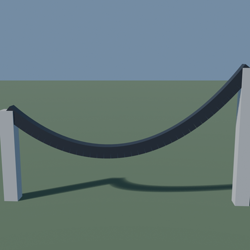
Drag two anchors to the ends. Bight hangs a true catenary cable between them for power lines, suspension bridges and festoon lights.

What you get: Specify visible sag, extra slack or exact cable length. Pieces are divided by arc length so every link stays the same size, including the steeper ends.

Model · BuildingGusset iconA truss cut for
your span.
GussetRoblox Creator Store

Gusset

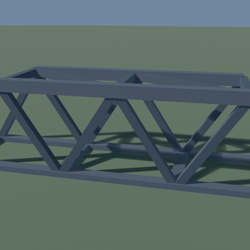
Drag two anchors to the ends. Gusset builds a Warren, Pratt or Howe truss cut to that exact span.

What you get: Choose the diagonal angle, not a guessed bay count: Gusset checks the whole-number possibilities and divides the span into equal bays. Add width for two planes, floor beams, struts and top bracing.

Model · BuildingCavea iconSeating that can
actually see.
CaveaRoblox Creator Store

Cavea

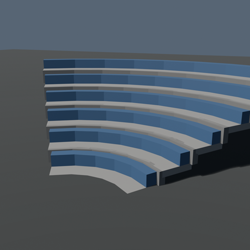
Set the focus and press Play. Cavea raises a straight stand or bowl so every row clears the head in front by the sightline value you chose.

What you get: A seating rake is a recurrence, not one constant step: each row rises from the sightline it inherits, so the required rise grows towards the back.

Model · BuildingGyre iconA spiral ramp you
can drive up.
GyreRoblox Creator Store

Gyre

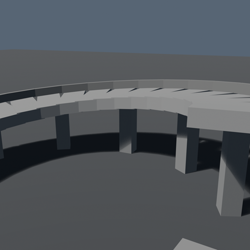
Gyre builds a spiral ramp to your upper floor while solving the two constraints that fight each other: driveable grade and clearance under the next turn.

What you get: More turns soften the climb but reduce headroom. If the requested radius cannot satisfy both, Gyre reports the radius, grade and headroom that can.

Model · BuildingRafter iconA roof cut for
your building.
RafterRoblox Creator Store

Rafter

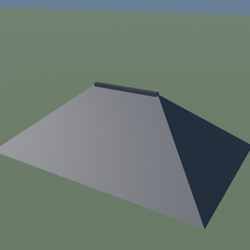
Resize one Part to the footprint or point Rafter at your building. It creates a hip or gable roof cut for that exact rectangle.

What you get: Change the span and the ridge, hips and four eaves move with it while keeping the requested overhang and pitch. A square hip plan resolves to a pyramid and says so.

Model · BuildingStrut iconA geodesic dome.
Its cutting list.
StrutRoblox Creator Store

Strut

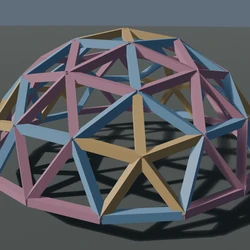
Choose a radius and frequency. Strut builds an editable geodesic frame from ordinary Parts and produces the cutting list behind it.

What you get: It groups bars by measured length, color-codes each group, and reports how many of every length the structure uses.

Model · BuildingScarp iconStone walls that
step with the terrain.
ScarpRoblox Creator Store

Scarp

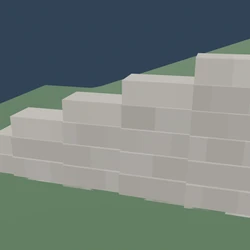
Place the included level Line where the wall should run, stretch it to length, then press Play. Scarp samples the bank and toe on both sides.

What you get: It generates horizontal whole-course sections with the fewest combined sections that fit the discrete bank and toe samples, with running bond inside every section.

See them run

Watch before you buy.

Demos and tutorials are posted on these accounts. Nothing is staged: what you see on screen is the tool that ships.