

Paling
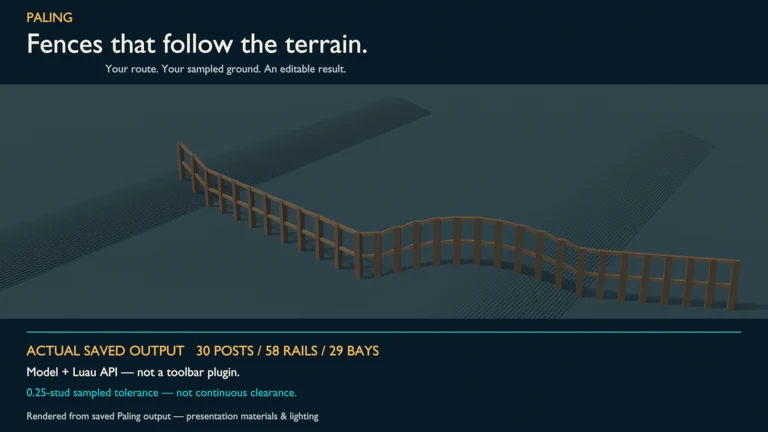
Move the A, B and C route markers, then preview an editable fence whose bay count responds to the sampled terrain.
See the real output
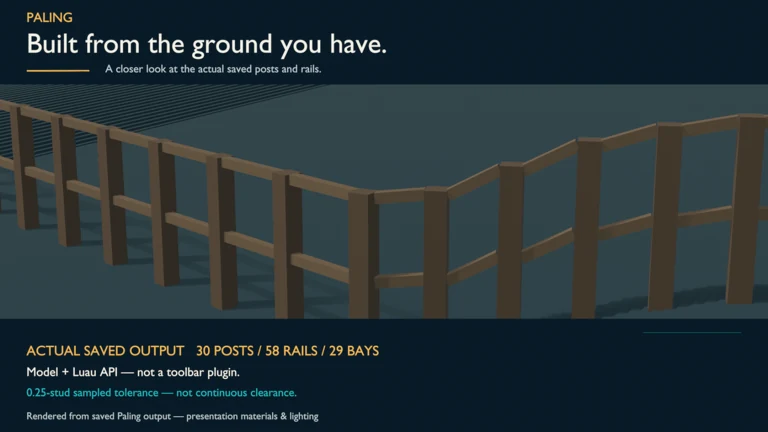
These are the current Creator Store images for Paling.
What you get
Build open or closed routes with shared corner posts, or use Fence.around() on a level BasePart footprint. Height, maximum bay length, rails, thickness and sink are adjustable.
How it holds up
Builds are bounded and unsupported inputs are refused clearly. Rebuilds replace only Paling-owned output, so unrelated content with the same name is preserved.
What it does not do
Sampled follow tolerance does not guarantee continuous ground clearance, and Part axes must remain between 0.05 and 2048 studs. Play output disappears on Stop; persistent Edit-mode builds need to be saved, and Undo recording is supplied by your integration.
The listing, word for word
Build editable fences along your route, with bay counts guided by the ground.
Move A/B/C markers and press Play for a temporary preview. Paling samples the ground and adjusts bays to your chosen follow tolerance. Use Fence.around() for a level BasePart's footprint.
INCLUDED - Editable Model, Run example and readable Fence/Line Luau - Open and closed routes with shared corner posts - Adjustable height, max bay, rails, thickness and sink - Bounded builds with clear refusals for unsupported input - Rebuilds replace only Paling-owned output; foreign same-name content is preserved
Sampled tolerance is not a guarantee of continuous clearance. Part axes must remain 0.05-2048 studs; precision limits apply.
Play output is discarded on Stop. For persistent output, call Fence.build() or Fence.around() in Edit mode and save. This is a Model/API, not a toolbar plugin. Undo requires your own change-history recording. No runtime network calls.